A Swipe File is a collection of ideas, examples, and creative inspiration that marketers, designers, writers, and other creatives use to spark new concepts or guide their own work.
Inspired makes it effortless to collect and organize the content, ads, and social posts that spark your creativity, so you never lose a great idea, can revisit it anytime, and turn it into original, amazing content in your own voice.
Start by creating detailed Brand Pillars, like Thought Leadership and Products, in Inspired. Make sure your Inspired Chrome Extension is installed and connected.
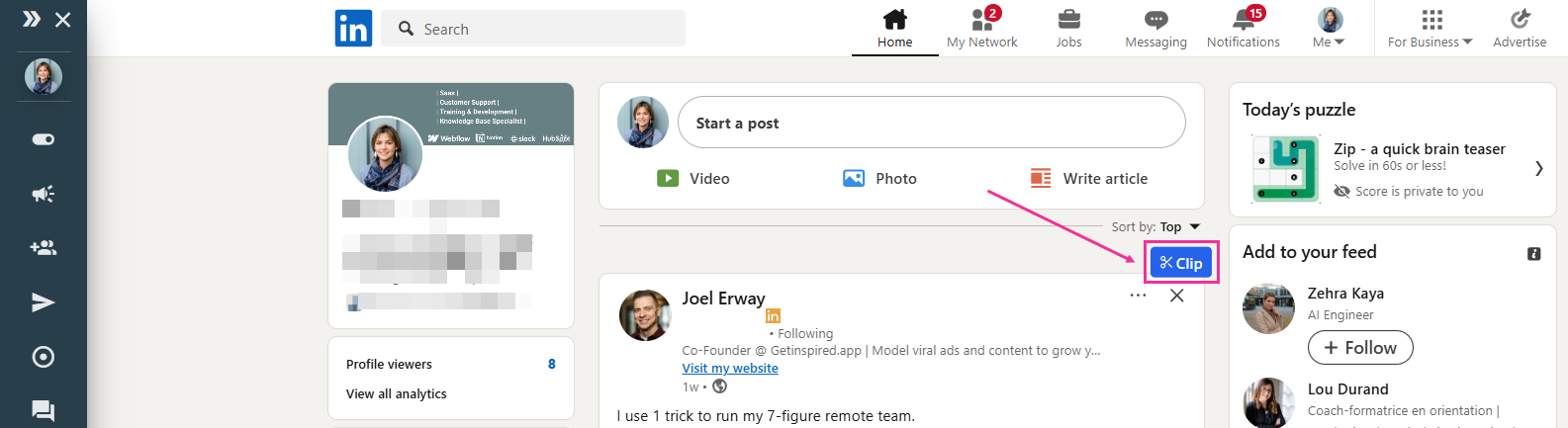
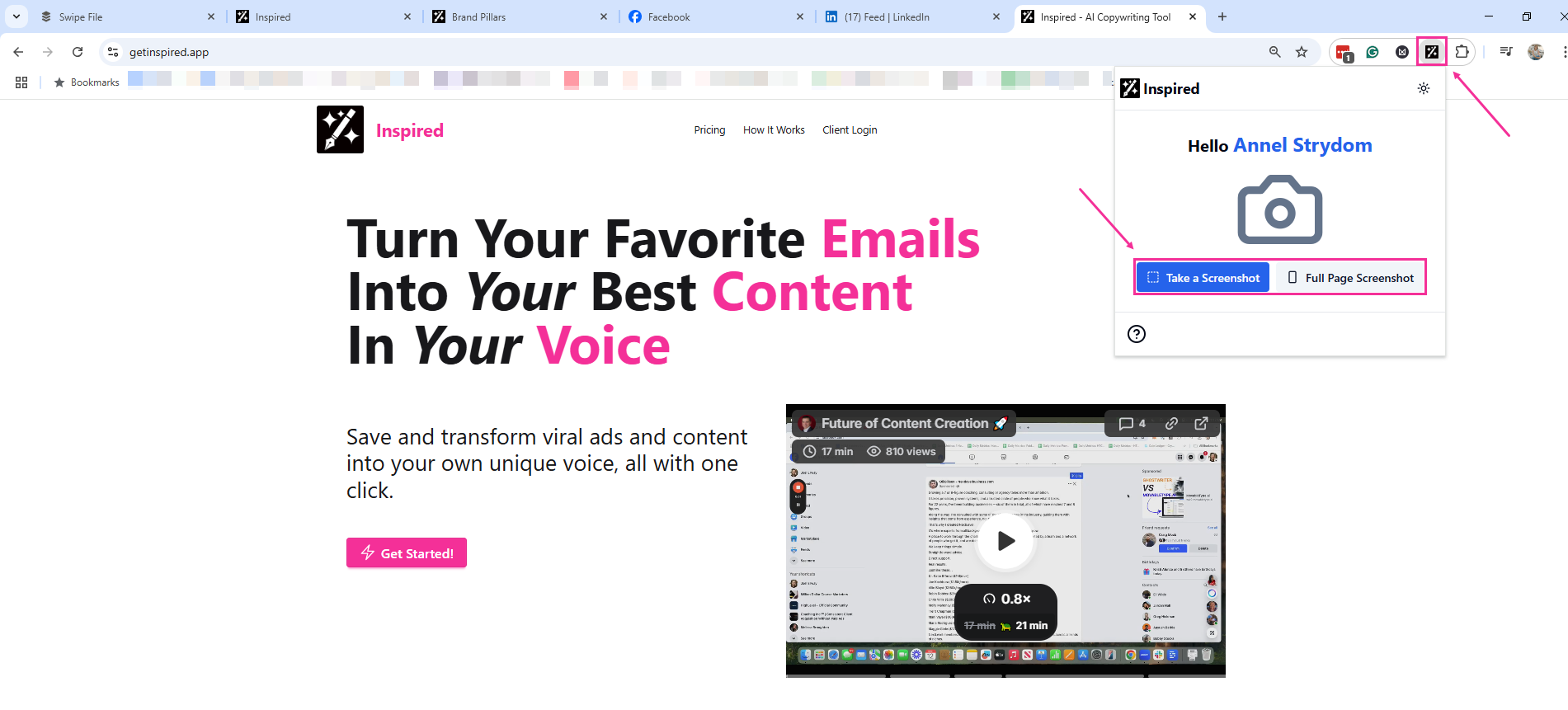
Then, dive into Facebook, Instagram, LinkedIn, YouTube, or any website and start clipping ads or content that catch your eye. Look for the Clip icon in some apps or grab screenshots via the Chrome Extension tool on other sites. When confetti showers your screen, you know you’ve nailed it! Your swipe file is saved and ready to be cloned and tailored for the Thought Leadership or Product you want to promote.
In the Swipe File tab, you can view and filter your clips by Source, Type, and Category. You can also mark favorites for quick access and edit your categories as needed.
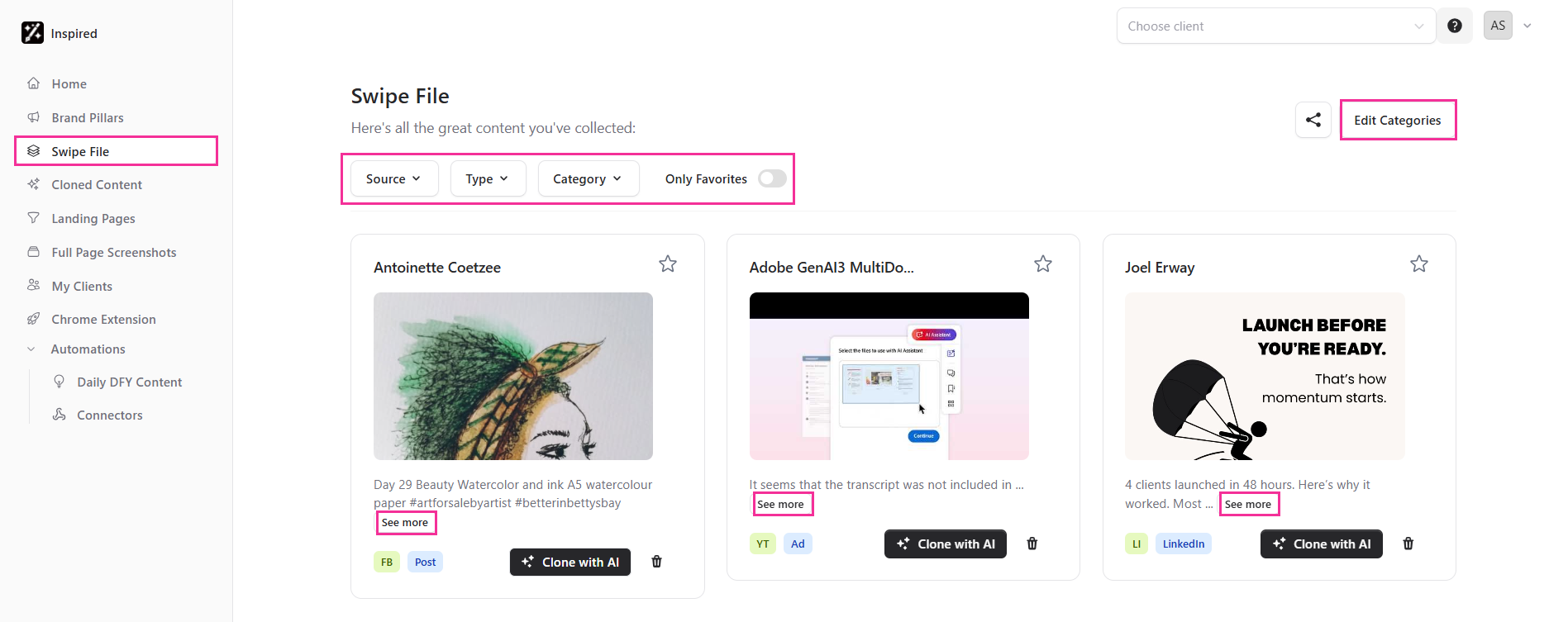
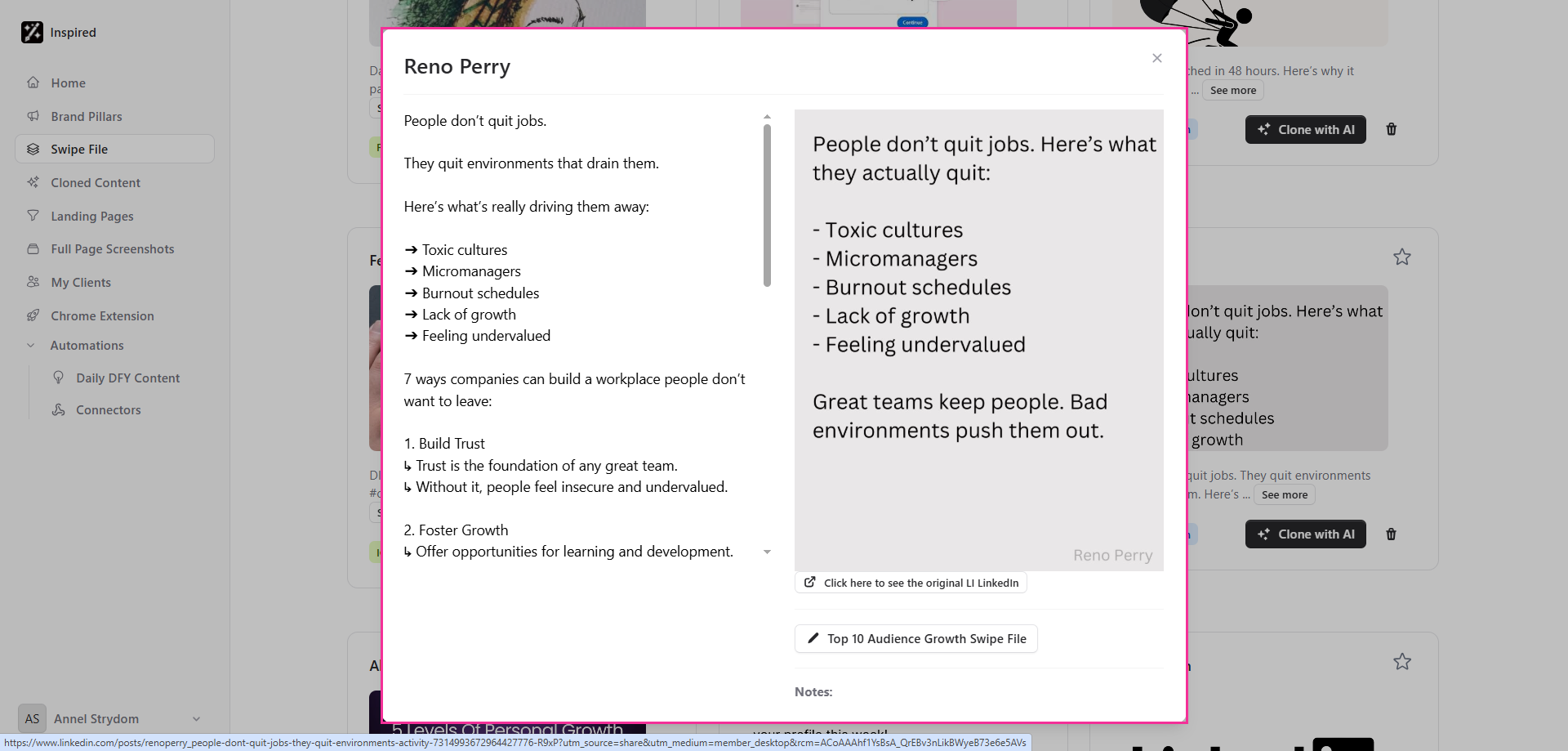
Click See More to open the full content of the clip.
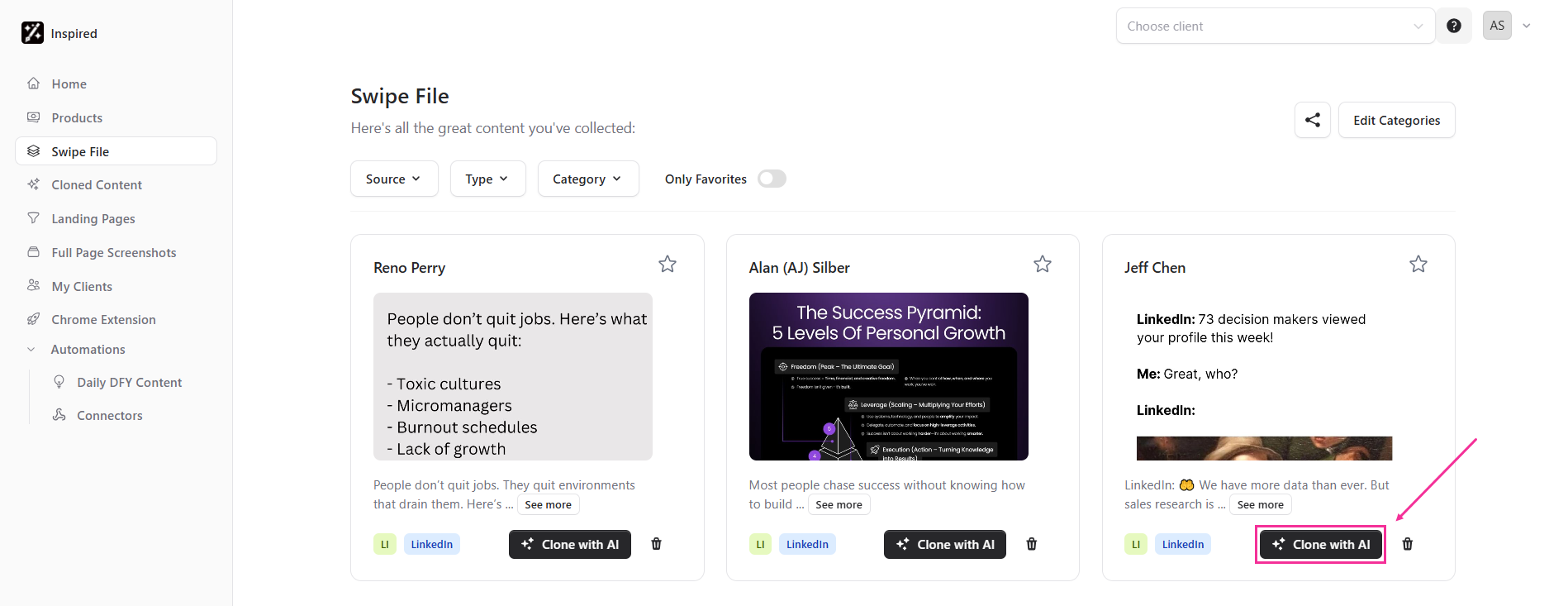
To clone the content you’ve clipped, click on Clone with AI.
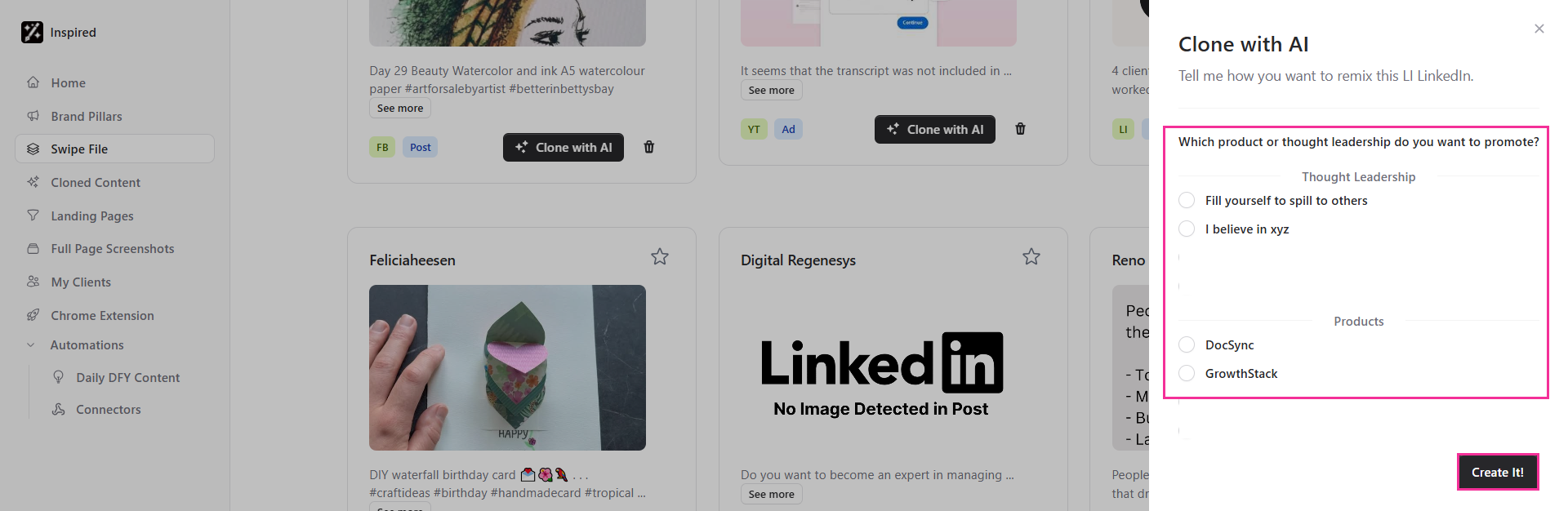
Select the Thought Leadership or Product you want to promote, then click Create It!
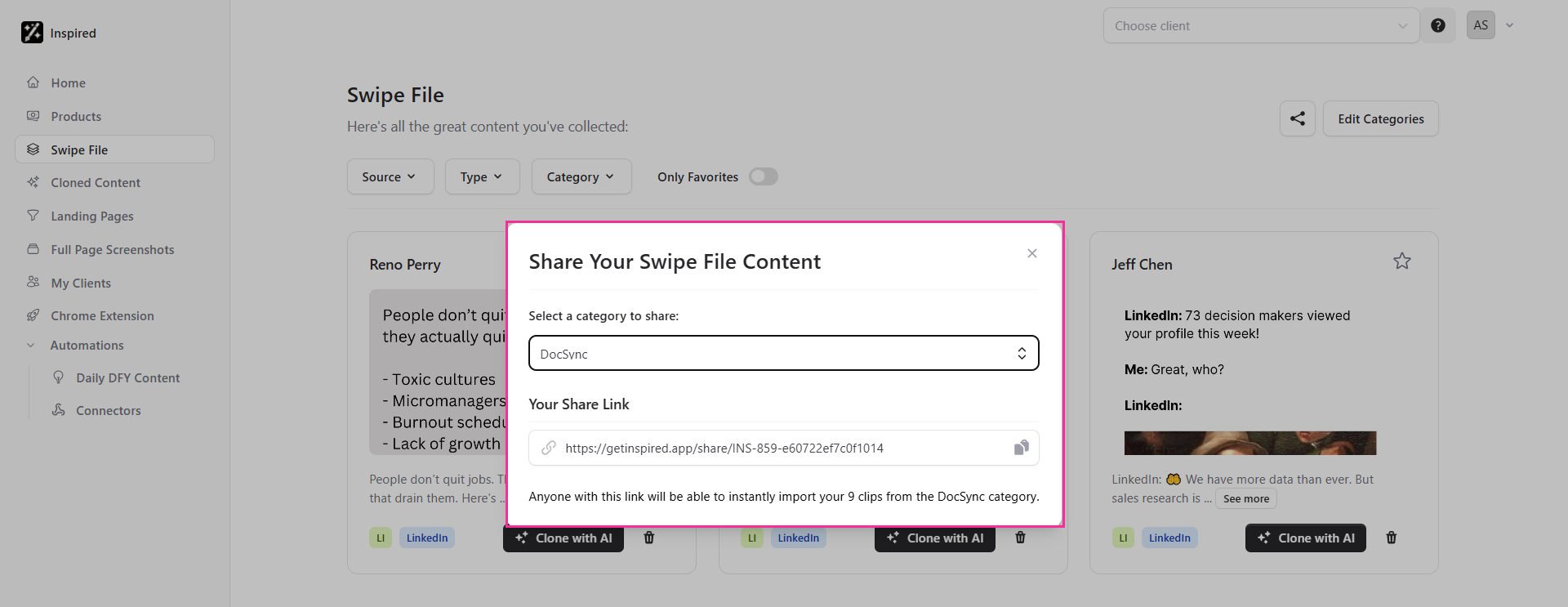
You can also share some of your content with others by clicking on the Share icon in the top right corner of your screen.

Select a category to share, and copy the link so that anyone with the link will be able to instantly import your clips from the selected category.