
Once you’ve installed our Chrome Extension, Inspired Web Clipper, you’ll have to complete three Quick Start steps before you can start using the app.
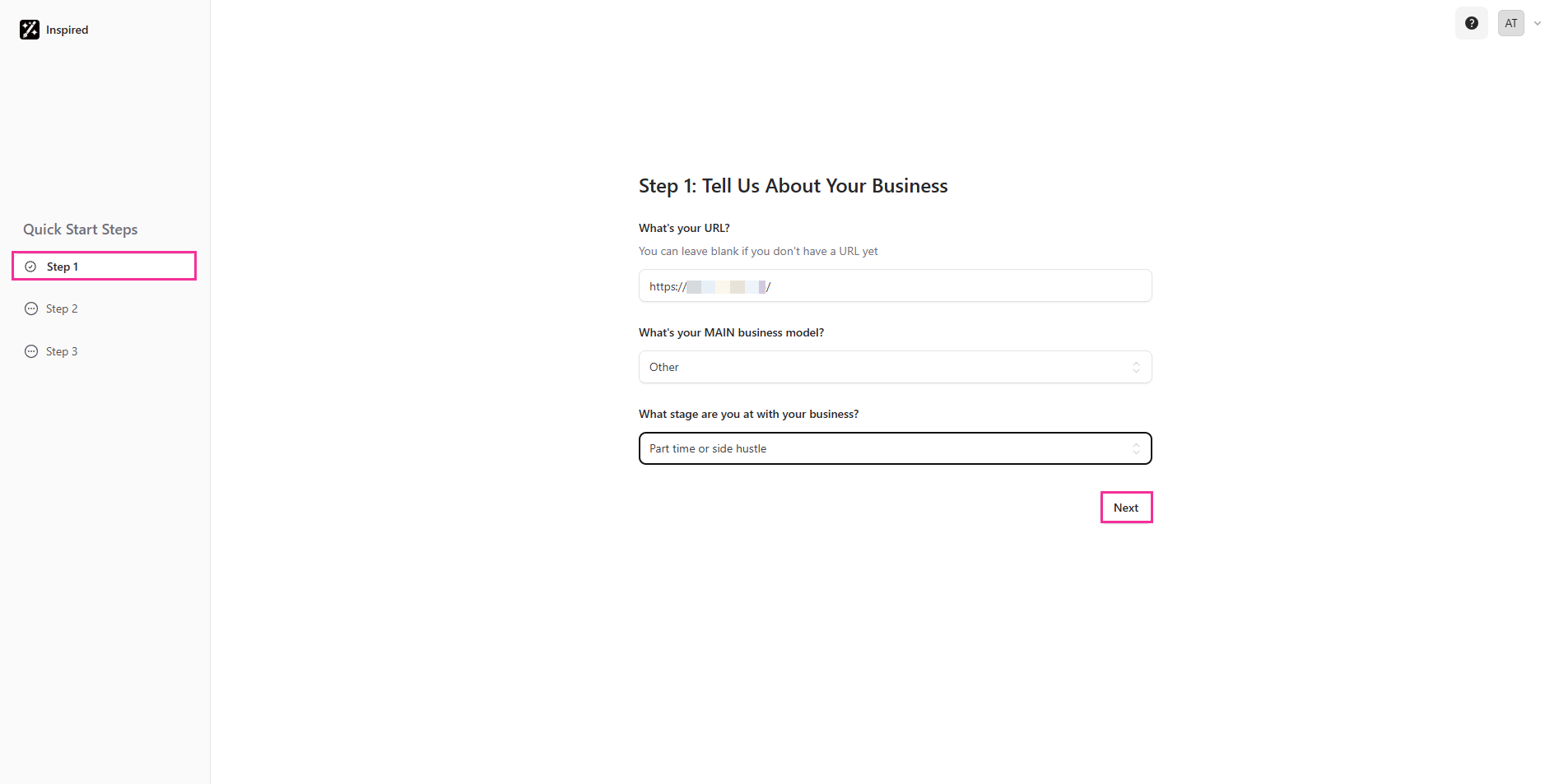
Step 1: Tell Us About Your Business
First of all, we’d love to learn more about your business. This will help us tailor the content to align with your specific goals. Please complete the required details, then click Next to proceed to Step 2.
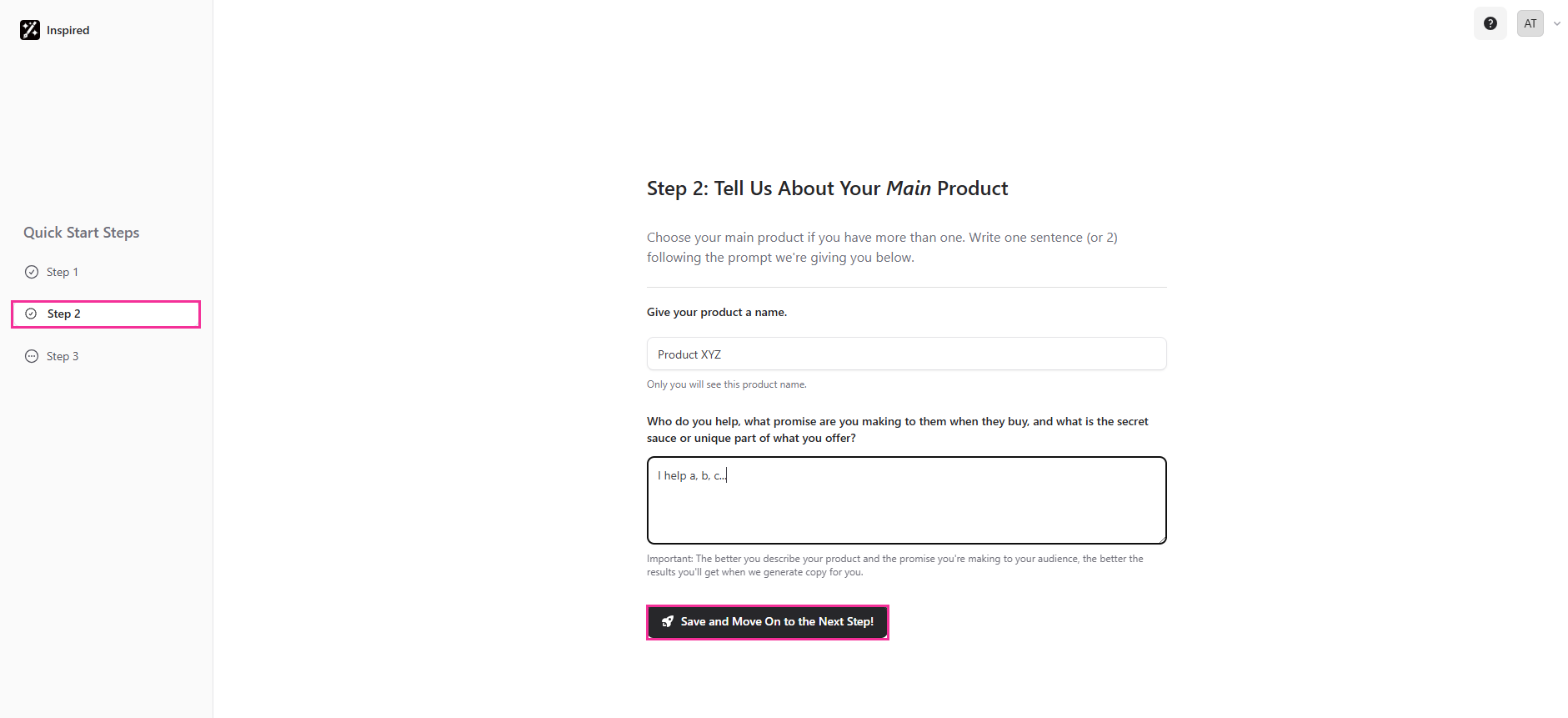
Step 2: Tell Us About Your Main Product
If you offer multiple products or services, pick your main one and write one or two sentences using the on-screen prompt. The clearer your description and the promise to your audience, the better the copy we can generate for you. When you’re done, Save and Move On to the Next Step!
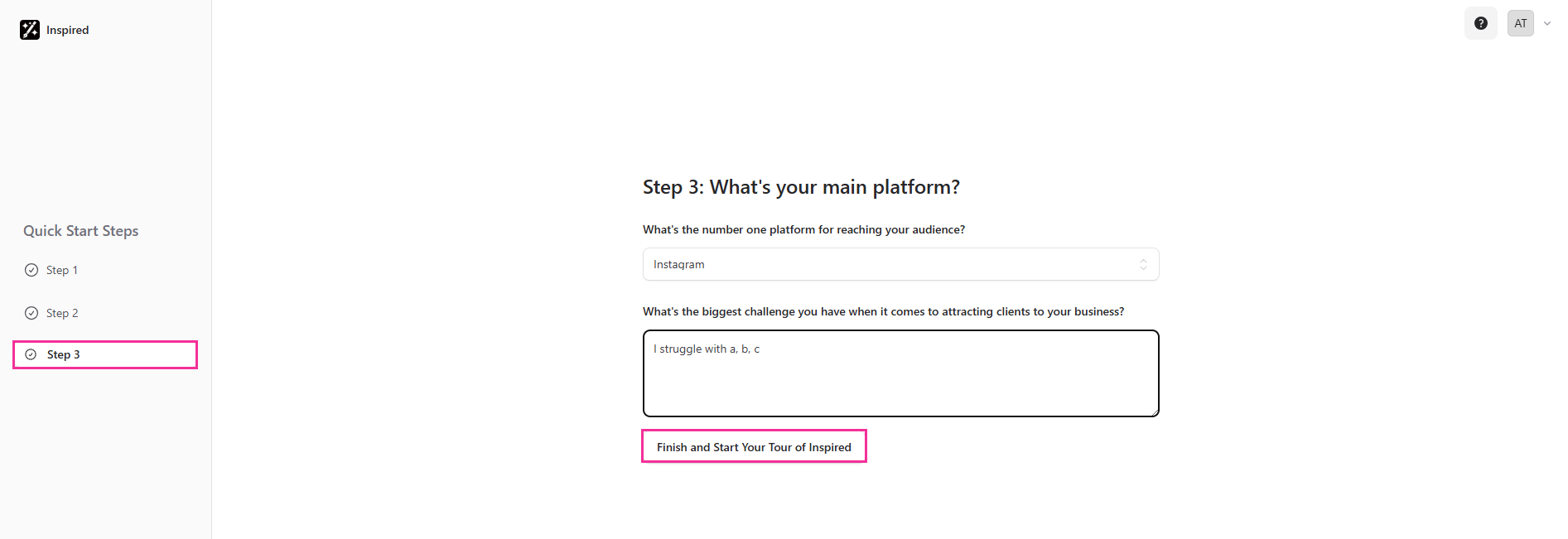
Step 3: What’s your main platform?
Let us know your primary platform for connecting with your audience. Also, share your biggest challenge when it comes to attracting new clients to your business. Then click Finish and Start Your Tour of Inspired.
The first time you log in, we’ll walk you through a quick tour to help you get started with Inspired.
Take a moment to click through and watch the short, helpful videos - we promise it’s time well spent!